
Dictionary - Merriam-Webster
Merriam-Webster Inc.Books & Reference
3.738.16K Reviews
- Version
- 5.6.2
- Installs
- 50.00M
- Age Rating
- Everyone
Screenshots
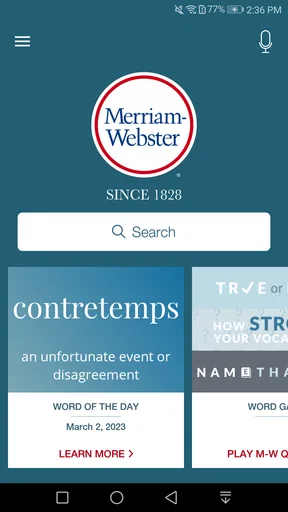
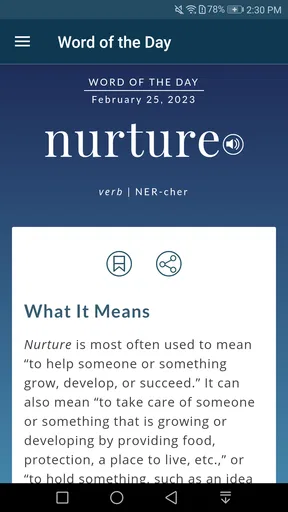
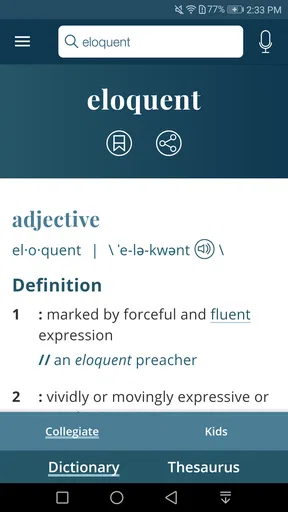
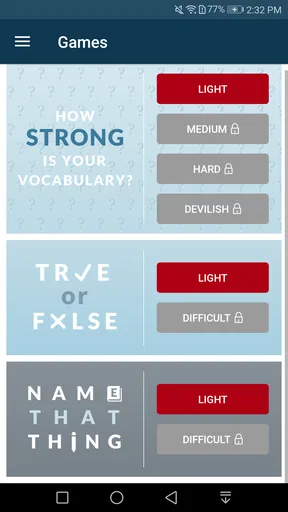
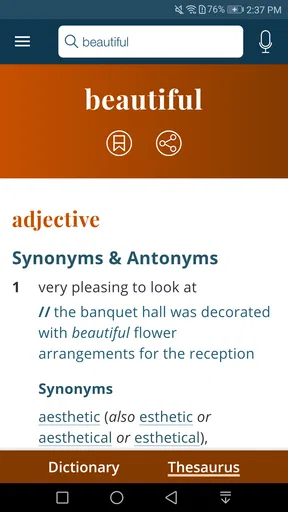
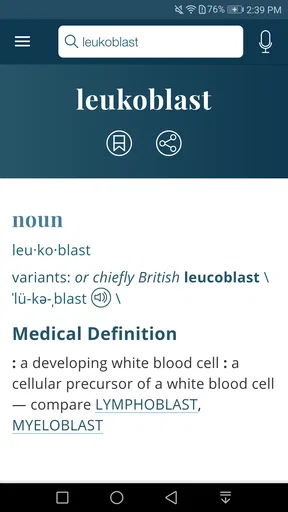
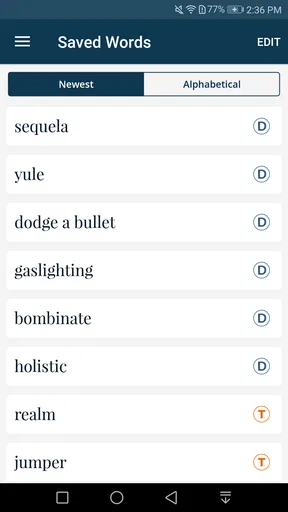
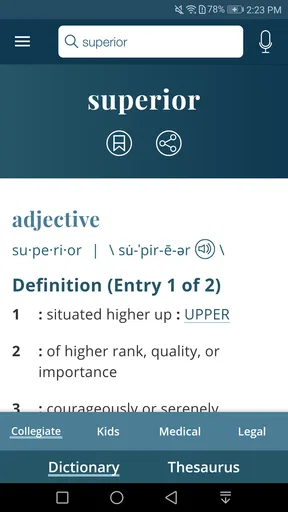
Our Review of Dictionary - Merriam-Webster
 Analysis by Appyee
When I need a quick definition, I usually want an answer that is clear enough to use immediately, but detailed enough to explain why a word means what it means. Dictionary - Merriam-Webster is built for that everyday task. It is a free Books & Reference app from Merriam-Webster Inc., and my experience with it is strongest when I treat it as a practical language tool rather than as a complete replacement for every kind of language study.
The app has a familiar purpose: look up a word, check its meaning, and move on with your reading or writing. That simplicity is part of its appeal. It does not ask me to learn a complicated system before I can benefit from it. At the same time, the experience is more useful when I slow down and read beyond the first definition, because the examples, pronunciation information, and related entries can change how confidently I use a word.
Why trust matters in a dictionary app
A dictionary is different from a casual search box. When I use one, I am often deciding whether a word is appropriate in an email, an assignment, a work document, or a conversation. The source behind the definition matters, and this app comes from Merriam-Webster Inc., a name associated with English reference publishing. That gives the app a more serious starting point than an anonymous word list or a random definition page.
Its scale also tells me that it has become a mainstream reference choice: the app has passed 50 million installs and has received around 520 thousand ratings. Those figures do not guarantee that every user will like the interface, but they do show that the app is used for ordinary, repeated lookups rather than being a niche tool for specialists.
The current release is version 5.6.2, and it supports devices running Android 6.0 or later. That makes it accessible on many older phones, although the age of a phone can still affect how quickly searches open and how comfortably the interface behaves. I would check compatibility before installing it on a particularly old device, especially if I expect to use it frequently while switching between other apps.
The average rating is 3.7 from roughly 520 thousand ratings, with about 38 thousand written reviews. I read that as a useful warning against blind enthusiasm. The app clearly works well for many people, but the rating suggests that practical details such as navigation, advertising, update behavior, or individual expectations may matter as much as the dictionary content itself.
What I look for before trusting a result
My first habit is to separate the authority of the definition from the convenience of the interface. A well-known dictionary can provide dependable reference material, but I still need to examine the grammatical label, the sense of the word, and the example context. A word with several meanings can look simple in a search result while being completely wrong for the sentence I am writing.
This is especially important with words that have formal, informal, technical, or regional uses. I would not copy the first meaning into a legal document or school essay without checking the surrounding information. The app is most useful when it helps me make a better decision, not when I use it as an automatic substitute for reading carefully.
For a student, that means looking at the entry before writing the definition in an assignment. For a professional, it means checking whether a term sounds natural in the intended setting. For someone learning English, it means comparing the pronunciation and examples with the sentence they want to create. These small habits turn a quick lookup into a more reliable workflow.
How I use it during an ordinary day
A realistic example is writing a message at work and hesitating over a word that feels almost right. I open the app, search the term, and read the definitions rather than relying only on the first line. If the entry shows several senses, I compare them with my sentence. I then return to the message and decide whether the word is precise, too formal, or likely to be misunderstood.
That process is faster than opening a full browser search and sorting through pages that may mix dictionary entries with advertisements, discussion posts, and automated explanations. The dedicated format keeps my attention on the word. It also makes the app useful when I am reading a novel, reviewing a report, or helping a child understand unfamiliar vocabulary.
Another valuable habit is searching for a word I think I already know. I sometimes discover that a familiar term has a narrower meaning than I assumed, or that it can be used as more than one part of speech. This is one of the less obvious benefits of a respected dictionary app: it can improve precision, not just rescue me from an unknown word.
Where the app fits among alternatives
Compared with a normal web search, this app offers a more focused reference experience. A browser is better when I need several sources, current usage in a particular field, translation, or a broader discussion of a phrase. The dictionary app is better when I want a direct English definition without navigating a long results page.
Compared with a translation app, it serves a different purpose. Translation tools are usually the better choice when I am moving between languages or trying to understand a sentence in another language. Merriam-Webster is more appropriate when I already have an English word and want to understand its meaning, pronunciation, or usage more accurately.
Compared with a specialist terminology reference, it may also be the wrong tool for a narrow profession. A medical, legal, scientific, or technical glossary can provide context that a general dictionary does not emphasize. I would use this app to clarify ordinary English around a specialist subject, but I would not make it my only reference for professional terminology.
Compared with a paper dictionary, the phone app wins on speed and portability. A physical book can be calmer and easier on the eyes during long study sessions, and it does not depend on a phone battery or screen. The app is the better companion for spontaneous questions, while the book remains appealing for deliberate reading and browsing.
Controls, choices, and a cautious approach to privacy
When I evaluate an app through a trust lens, I do not assume that a familiar developer automatically answers every privacy question. I look for visible choices, account controls, and the permissions presented during installation or use. With this app, I would review the permission prompts on my own device and read the current privacy information before enabling anything optional. Those are practical steps because permissions and data practices can change as an app evolves.
I also prefer using a dictionary without creating an account unless an account is clearly needed for a feature I personally want. If the app presents sign-in, personalization, or promotional choices, I would decide separately whether each one is useful to me. A reference lookup does not automatically justify sharing more information than necessary for my situation.
That matters most when I search sensitive topics. A word lookup can reveal something about my health, work, relationships, beliefs, or private reading. I would avoid entering identifying details into a search field, and I would be especially careful on a shared phone. The safest routine is to search only the word or phrase needed, review the app’s visible choices, and keep the device protected with the operating system’s normal security controls.
The free price makes the app easy to try, but free reference apps can include commercial elements. The app offers in-app purchases ranging from $1.99 to $9.99 per item. I would check what a purchase changes before confirming it, particularly if I am installing the app for a child or using a device connected to a family payment method. The Everyone content rating makes it suitable for a broad audience, but age suitability does not remove the need for sensible purchase controls.
Small habits that make the dictionary more useful
My most useful tip is to search the base form of a word when possible. If I encounter a plural, past-tense form, or inflected adjective, the dictionary may be easier to navigate when I reduce it to the underlying word. This is not a flashy feature; it is simply a better lookup habit, and it reduces the chance of assuming that an unfamiliar form is a separate word.
I also read the full entry when the word will appear in something important. The first definition is often enough for casual reading, but it may not distinguish between a literal and figurative sense. Checking the part of speech and the example usage can prevent an awkward sentence, especially when a word can be used as both a noun and a verb.
Pronunciation deserves more attention than many people give it. I use the pronunciation information as a guide, then repeat the word in the sentence where I plan to use it. A correct sound in isolation is less helpful if I cannot place the stress naturally in a phrase. This makes the app useful for presentations, interviews, and language practice, not only silent reading.
A further trade-off is speed versus depth. If I am reading quickly, I may only need a short definition. If I am learning the word, I should take a moment to inspect related senses and usage notes. The app supports both styles, but it cannot decide which meaning fits my personal sentence unless I provide that judgment myself.
Who will appreciate it, and who should skip it
I would recommend it to readers who want a recognizable English dictionary on their phone, students who regularly check vocabulary, writers who care about word choice, and English learners who need more than a one-line translation. It is also a good fit for families looking for a general reference app with an Everyone content rating, provided that purchase settings are handled appropriately.
I would be more cautious about recommending it to someone who mainly needs bilingual translation, offline reference for travel, or highly specialized terminology. In those cases, a translation app, a specialist glossary, or a dedicated offline dictionary may fit the task better. I would also hesitate if the person dislikes advertising or optional purchases in free apps and does not want to inspect the available controls.
People who prefer an uncluttered study environment may find a paper dictionary or a paid reference product more comfortable. The free model is convenient, but convenience is not the same as a distraction-free experience. My choice depends on whether quick access matters more than having a quiet, book-like reference tool.
My final view after using it as a daily reference
Dictionary - Merriam-Webster is a credible, practical choice for checking English words on a phone. I like it most when I use it deliberately: search the word, read the relevant sense, check the usage context, and then make my own decision about the sentence. Its strongest quality is not that it removes all uncertainty, but that it gives me a dependable place to investigate that uncertainty.
It is not the universal answer for translation, specialist research, or privacy-sensitive use without thought. I would review permissions, avoid entering personal context, and examine any purchase or account prompt before accepting it. Those precautions are simple, and they make the free app easier to use responsibly.
Overall, I would install it for everyday English reference, especially if I want a focused alternative to browser searches. The moderate average rating means I would keep expectations realistic about the app experience, but the established developer, broad adoption, and useful dictionary purpose make it worth trying. For me, it earns a place on the phone because it helps turn uncertain word choices into informed ones without making a basic lookup feel like a research project.
Verdict
Strengths of Dictionary - Merriam-Webster
- Clear definitions with useful usage examples and synonyms.
- Audio pronunciations help users learn unfamiliar words correctly.
- Word of the Day provides a simple way to build vocabulary.
- Includes quizzes and word games for engaging practice.
- Search suggestions help find words even with minor spelling errors.
Limitations of Dictionary - Merriam-Webster
- Some advanced features require a subscription or in-app purchase.
- Advertising can interrupt browsing in the free version.
- Offline access may be limited without premium features.
- The app may use considerable storage after downloading extra content.
- Some quiz content can feel repetitive for frequent users.
Other Releases by Merriam-Webster Inc.
View All
Dictionary - M-W Premium
Books & Reference3.2
Similar Picks in This Category
View All
Google Play Books & Audiobooks
Google LLC4.7

네이버 - NAVER
NAVER Corp.3.5

Wattpad - Read & Write Stories
Wattpad.com3.7

King James Bible - Verse+Audio
Ozion4.8

Bible Offline-KJV Holy Bible
Bíblia Offline4.9

Amazon Kindle: Reading App
Amazon Mobile LLC4.8
Frequently Asked Questions
What is Dictionary - Merriam-Webster, and what can I use it for?
Dictionary - Merriam-Webster is a reference app for checking English word definitions, pronunciations, spellings, usage examples, and related information. During testing, it proved useful for students, writers, language learners, and anyone who wants to confirm a word’s meaning quickly. Depending on the version and subscription, it may also include a thesaurus, quizzes, word games, vocabulary features, and additional language-learning tools.
Does Dictionary - Merriam-Webster work offline?
The app’s core experience is designed around online dictionary access, so an internet connection may be required for many searches, audio pronunciations, advertisements, updated content, and interactive features. Offline availability can vary by platform, app version, and subscription plan. If you need dependable access while traveling or without mobile data, check the current app listing and settings before downloading or relying on it offline.
Is Dictionary - Merriam-Webster free to download and use?
Dictionary - Merriam-Webster can generally be downloaded without an upfront purchase, and users can access a selection of dictionary and thesaurus tools for free. However, the free experience may include advertisements or limitations on certain features. Some versions offer optional subscriptions or in-app purchases that remove advertising or unlock premium content, so review the pricing details shown in your region before subscribing.
Does the app include pronunciation audio and example sentences?
Yes, pronunciation support is one of the app’s most useful features. Many entries provide audio pronunciations, spelling information, definitions, and examples showing how a word is used in context. Availability may differ between entries and languages, and audio normally requires an internet connection. Users should also remember that pronunciation guidance is a helpful reference, not a replacement for full speaking practice.
Is Dictionary - Merriam-Webster suitable for students and English learners?
The app is suitable for students and English learners because it combines definitions with pronunciation guidance, usage examples, synonyms, and vocabulary-building content. It can help clarify unfamiliar words while reading, writing, or studying. Nevertheless, learners should check the difficulty and context of each definition carefully, since a dictionary app does not replace structured lessons, grammar instruction, or feedback from a teacher.
